

Download PDF Expert – Fast, Secure PDF Editing Tool for Windows & macOS
Overview
PDF Expert is a powerful yet user‑friendly PDF editing software that bridges the gap between basic readers and heavyweight suites like Nitro Pro or Adobe Acrobat XI Pro. Designed for professionals who need to modify more than just text, PDF Expert lets you edit images, graphics, hyperlinks, and signatures directly inside the document. The application boasts a modern interface that feels intuitive even for first‑time users, while the underlying engine delivers blazing‑fast performance—large PDFs open in seconds, making it ideal for busy office environments.
Beyond simple annotation, PDF Expert incorporates advanced capabilities such as document merging, secure file sharing, and custom signature creation. Its lightweight footprint—only 41.5 MB of disk space—means it installs quickly and runs smoothly on modest hardware. Whether you’re preparing contracts, polishing marketing collateral, or simply reviewing research papers, PDF Expert offers a balanced mix of classic PDF tools with a contemporary twist, ensuring that you can handle any PDF workflow without compromising speed or security.
Key Features & Benefits
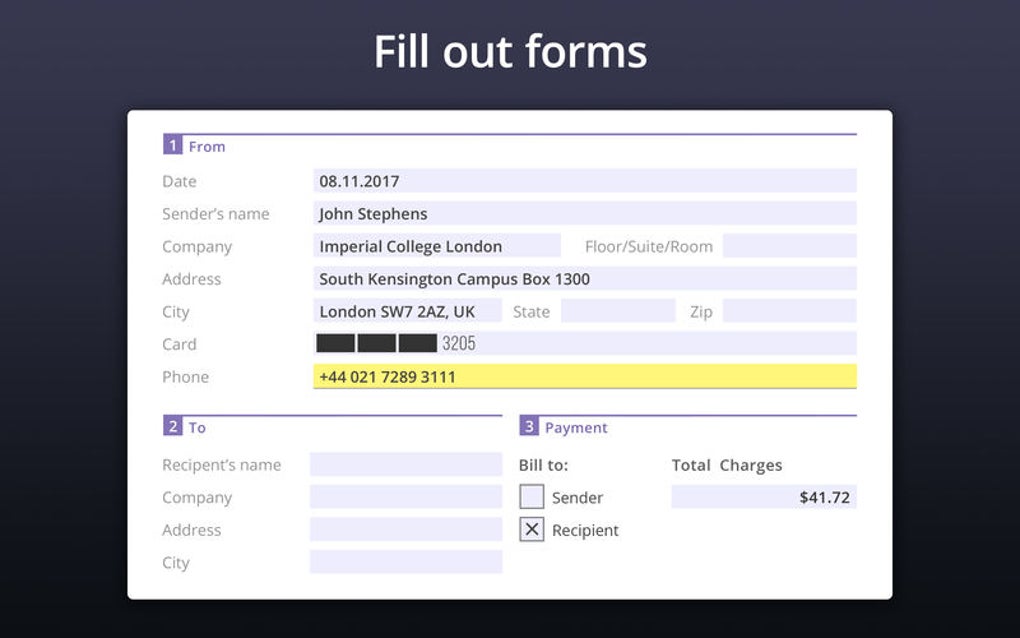
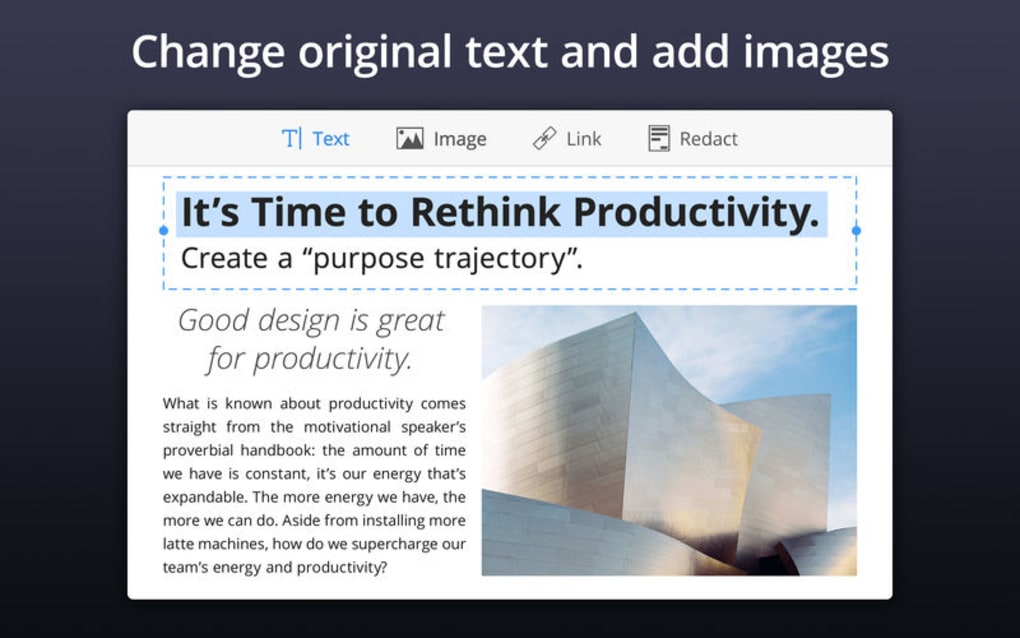
- Full‑Spectrum Editing: Modify text, replace images, adjust graphics, and edit hyperlinks without leaving the PDF.
- Signature Management: Create, store, and apply custom signatures with a single click; supports digital certificate integration.
- Rapid Document Handling: Open and render files larger than 500 MB in under five seconds, thanks to an optimized rendering engine.
- Annotation Toolbox: Highlight, underline, add sticky notes, and draw shapes using a versatile annotation suite.
- Merge & Split: Combine multiple PDFs into one seamless document or extract pages to create new files.
- Secure Sharing: Share PDFs via encrypted links, set expiration dates, and control access permissions.
- Cross‑Platform Sync: Sync annotations and signatures across Windows and macOS using cloud storage integration.
- Lightweight Installation: Requires only 41.5 MB of hard‑drive space, leaving ample room for other applications.
Each feature is built with a focus on reliability and ease of use. For example, the image replacement tool lets you drop a new picture directly onto the canvas, automatically resizing it to fit the original placeholder. The annotation system remembers your favorite colors and pen sizes, streamlining repetitive review tasks. Security is baked in: all shared links are protected with SSL encryption, and you can require a password for sensitive documents. Together, these capabilities make PDF Expert a comprehensive solution for individuals and teams that demand both depth and simplicity.
Installation, Usage & Compatibility
Step‑by‑Step Installation
- Visit the official PDF Expert website and click the Download for Windows or Download for macOS button.
- Run the installer (EXE for Windows, DMG for macOS) and follow the on‑screen prompts. The wizard will automatically detect the appropriate installation folder.
- Accept the license agreement, choose a shortcut location, and click Install. The process typically completes within one minute due to the small file size.
- After installation, launch PDF Expert and complete the initial setup wizard, which includes optional cloud sync configuration and a quick tour of the interface.
Getting Started Quickly
Once opened, the home screen presents a drag‑and‑drop area for PDFs. You can also use Ctrl+O (Windows) or ⌘+O (macOS) to browse files. The toolbar at the top groups editing, annotation, and sharing tools logically, so you never have to hunt through menus. To edit text, simply select the Text tool, click the paragraph you wish to change, and start typing. For image replacement, click the Image icon, choose a new file, and the software will automatically align it with the original dimensions.
System Requirements (itemprop="operatingSystem")
- Windows: Windows 10 (64‑bit) or later; 2 GB RAM minimum; 500 MB free disk space.
- macOS: macOS 10.14 Mojave or later; 2 GB RAM minimum; 500 MB free disk space.
- Processor: Intel i3 or equivalent (dual‑core) or higher; supports both Intel and Apple Silicon (via Rosetta 2 for older builds).
The application runs natively on both platforms, offering identical feature sets and performance. It also integrates with popular cloud services such as OneDrive, Dropbox, and iCloud, enabling seamless access to your PDFs from any device.
Pros & Cons, Frequently Asked Questions & Final Verdict
Pros
- Fast opening and rendering of large PDF files.
- Comprehensive editing tools beyond basic text.
- Intuitive UI that reduces learning curve.
- Secure sharing with password protection and expiration dates.
- Low disk‑space footprint (41.5 MB).
Cons
- No built‑in OCR for scanned documents (requires third‑party add‑on).
- Advanced PDF form creation is limited compared to Acrobat.
- Cloud sync requires a separate account; free tier has limited storage.
FAQ (itemtype="https://schema.org/FAQPage")
Is PDF Expert free to use?
PDF Expert offers a free trial with full feature access for 14 days. After the trial, a one‑time license fee is required for continued use.
Can I edit scanned PDFs?
Out of the box, PDF Expert does not include OCR. However, you can use a third‑party OCR tool to convert scanned pages to editable text before opening them in PDF Expert.
Does PDF Expert support digital signatures?
Yes, the software lets you create custom signatures and also import certificates for legally binding digital signatures.
Is the software compatible with Apple Silicon Macs?
PDF Expert runs natively on Apple Silicon Macs as of version 12.0. Older versions use Rosetta 2 translation.
How does PDF Expert handle file security when sharing?
Shared links are encrypted with SSL/TLS, and you can set passwords, expiration dates, and view‑only permissions to protect sensitive information.
Conclusion & Call to Action
Overall, PDF Expert stands out as a fast, secure, and feature‑rich PDF editing solution that strikes a perfect balance between simplicity and power. While it lacks built‑in OCR, its lightweight design, rapid performance on large documents, and robust editing toolkit make it a compelling choice for professionals, students, and small businesses alike. If you need a reliable tool to edit, sign, and share PDFs without the bloat of enterprise suites, PDF Expert is worth the investment. Download PDF Expert today to experience a modern PDF workflow that saves time and boosts productivity.







